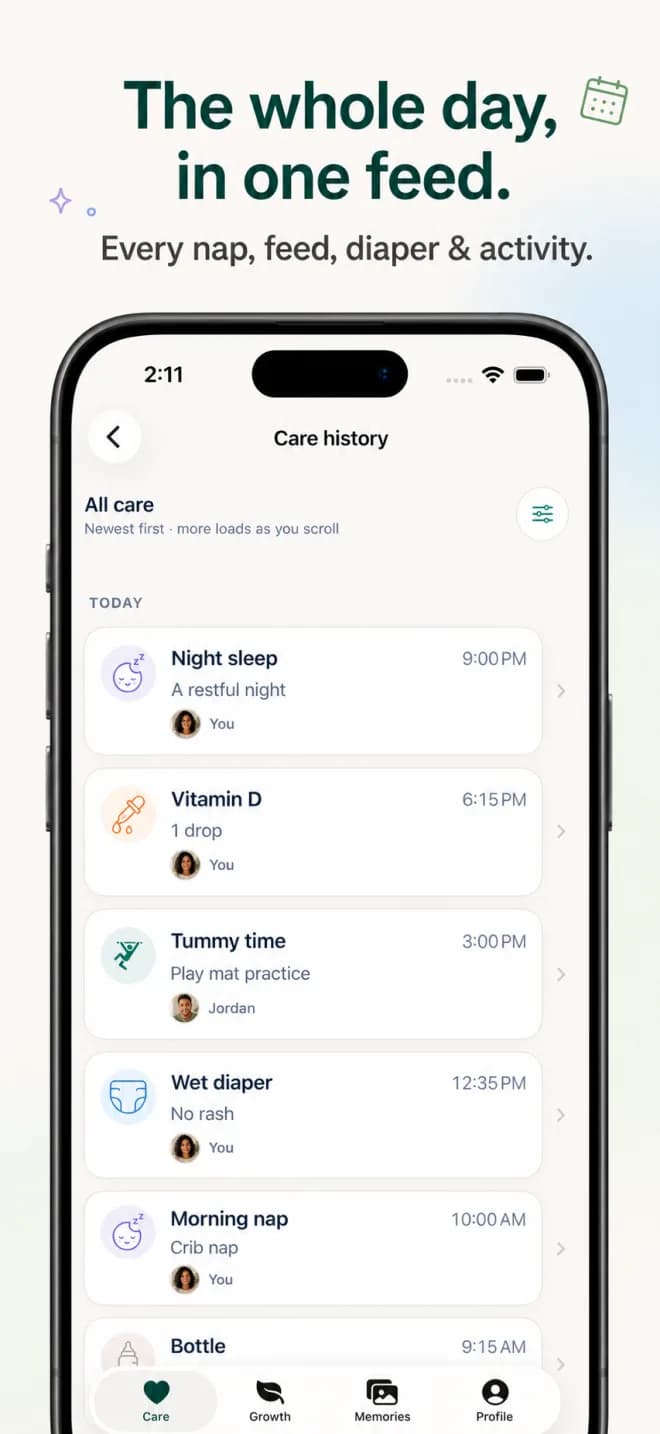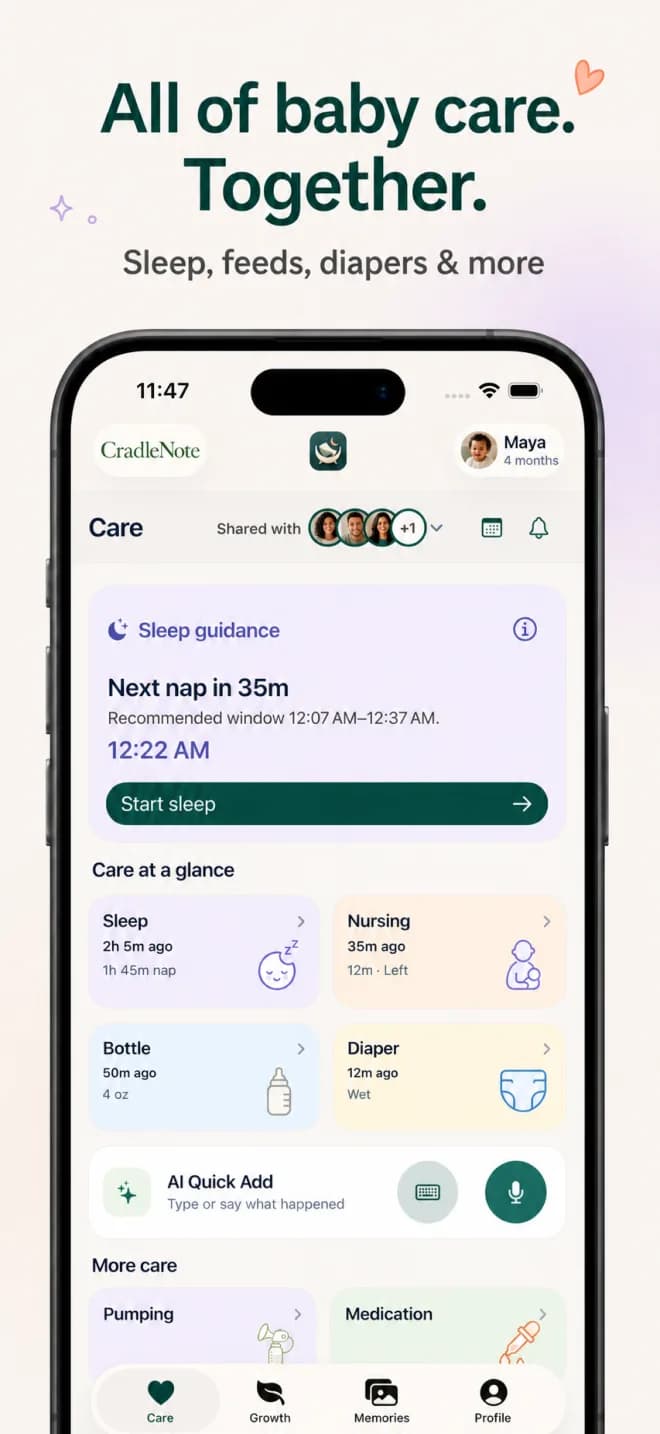
A baby’s day rarely belongs to just one person. One parent handles the morning, a grandparent comes over, a nanny takes the afternoon, and someone else does bedtime. Each person sees a different part of the day. Bringing those pieces together can take a surprising amount of remembering and repeating.
CradleNote grew out of our founder’s family using one shared place for care and memories every day for about four months before the iPhone launch. The idea is simple: the people looking after a baby should be able to contribute to the same picture of their day.
Start with what the next person needs to know
Imagine a grandparent arriving after lunch. A recent bottle, the end of a nap, and a short note about the morning can give them a useful starting point. When they add the next update, the parent taking over later can catch up in the same place.
In CradleNote, the Care view brings together recent records and ongoing timers. You can record feeding, sleep, diapers, pumping, and other care, while sleep suggestions offer another reference when planning the day. A log is a record of what someone entered; caregivers should still speak directly about anything urgent or unclear.
Give everyone ideas for time together
A relative visiting for an hour may want a little inspiration for what to do together. CradleNote’s Growth area offers activities and milestones relevant to the baby’s age, with instructions and source references. Caregivers can record what they tried and what they noticed.
The catalog draws on published resources from the CDC, the American Academy of Pediatrics, Harvard’s Center on the Developing Child, and the WHO. These are sources for the content, not organizations that endorse CradleNote. Activities are invitations to play, and milestones support observation; the app does not diagnose development.
See what a few gentle, everyday play ideas look like: Activities for a 6-month-old.
Include the moments between the care updates
The person spending the afternoon with your baby might catch a lovely expression, a new sound, or an especially determined attempt at a game. CradleNote gives your circle a place for those photos and short videos, with captions, comments, and reactions.
You can connect a memory to an activity or milestone when it fits. Over time, the same app that helps you remember the last feeding also holds the moments your family wants to revisit.
Set up a circle people will actually use
Create your account and child profile, then invite the people you want involved. Each person uses their own account. Review the access you give them, especially when someone is joining mainly to enjoy memories rather than to provide daily care.
Begin with one other caregiver and a small agreement about what to record. Expand once that feels comfortable. A useful shared habit is easier to maintain when everyone understands it.
- Agree which updates help with the next handoff.
- Decide who starts and stops a timer so you avoid duplicate entries.
- Use a short note for context a number cannot explain.
- Review invitations and access when caregiving arrangements change.
Common questions
Can grandparents and nannies contribute?
Yes. Invite them to your care circle and choose appropriate access. They use their own accounts to participate in the parts of CradleNote available to them.
Does everyone need an iPhone?
CradleNote has a native iPhone app and a web app. Android caregivers can use the web app in their browser or install it from Chrome. There is no native Android download on Google Play.
Do we have to track everything?
No. Start with the records that are useful to your family. You can also use the activities and memories without turning every moment into a checklist.
Sources & editorial notes
Developmental resources inform our content. The organizations listed do not endorse CradleNote. Our guides support family communication and play, and do not replace individual advice from your child’s clinician.
Meet CradleNote
One place for the people who care.
Share the day’s care, find activities to try together, and keep the memories your family makes along the way.
Currently free to download and use. Account required. iPhone app requires iOS 17 or later.